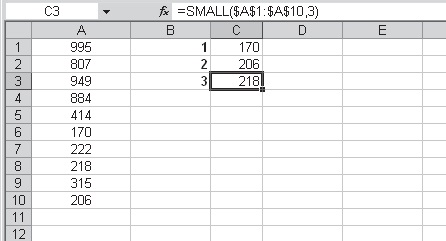
Use the SMALL function to compare prices and select the cheapest offer using Microsoft Excel
To find out the three cheapest offers and their supplier:
1. In cells B2:B10 enter the offers.
2. Number the cells C2:C4 with 1, 2, and 3.
3. Select cells D2:D4 and type the following formula: =INDEX($A$2:$A$10,MATCH(SMALL($B$2:$B$10,C2),$B$2:$B$10,0)).
4. Press <-Ctrl+Enter->.
5. Select cells E2:E4 and type the following formula: =SMALL($B$2:$B$10,C2).
6. Press <-Ctrl+Enter->.
A worksheet lists offers from different suppliers. To make a decision as to which is the best offer, the SMALL function can be used to check for the lowest price. As in the previous tip, you can use the INDEX and MATCH functions to get the names of the companies.
To find out the three cheapest offers and their supplier:
1. In cells B2:B10 enter the offers.
2. Number the cells C2:C4 with 1, 2, and 3.
3. Select cells D2:D4 and type the following formula: =INDEX($A$2:$A$10,MATCH(SMALL($B$2:$B$10,C2),$B$2:$B$10,0)).
4. Press <-Ctrl+Enter->.
5. Select cells E2:E4 and type the following formula: =SMALL($B$2:$B$10,C2).
6. Press <-Ctrl+Enter->.
 |
| Use the SMALL function to compare prices and select the cheapest offer |